See How Easy Water Care Can Be with the FROG Water Care® App

Our step-by-step videos walk you through the features of the FROG Water Care App — from testing to dealer connection.

Apple App Store

Google Play

Frog Pool Products

Quick Account
Setup

hide-me

Feature: Get Started with the App

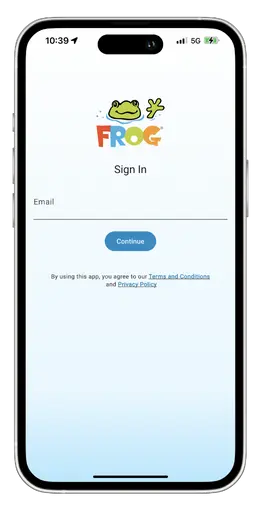
  • Download the app from the Apple App Store or Google Play and tap Create Account
  • Enter your email address — a passcode will be sent directly to your inbox
  • Look for the message titled “Welcome to FROG Water Care”
  • Log in and start enjoying simpler, smarter water care right away

Personalize Your
Setup

hide-me

Feature: Personalize Your App Experience

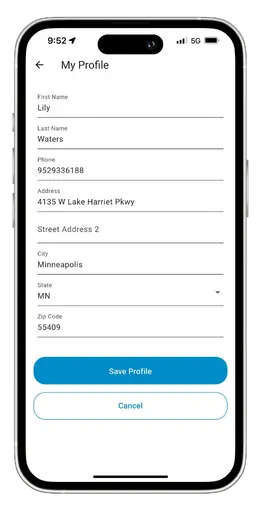
  • Tap More in the bottom-right corner, then select My Profile to begin
  • Review your name, phone, address and email — tap Edit Profile to update
  • Add your water profile to set up your pool, hot tub or swim spa
  • With your profile complete, you’re ready for easier, customized water care

Find Your
Dealer

hide-me

Feature: Connect with Your FROG® Dealer

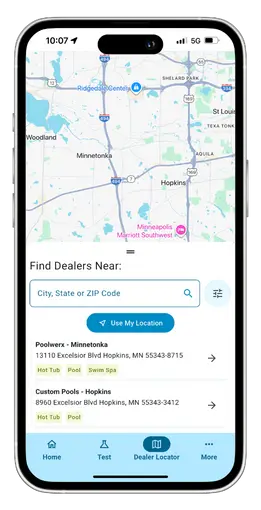
  • Search by ZIP code, city or state — or use My Location for nearby options
  • View each dealer’s services for pools, hot tubs or swim spas
  • Tap the arrow to explore details, including products carried at each store
  • Set your Preferred Dealer for quick access every time you open the app

Test Your
Water

hide-me

Feature: Balance Your Water with Confidence

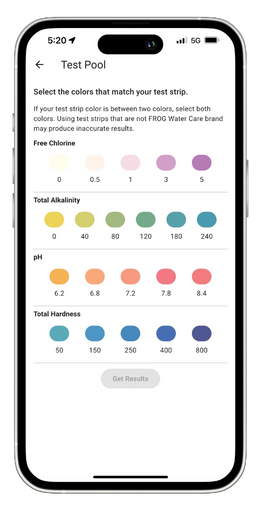
  • Tap Test My Water on the home screen or Test in the navigation bar
  • Choose your pool, spa, or hot tub, then begin your test with a few quick steps
  • Enter your results — the app instantly shows if your water is balanced
  • Save each test automatically to track patterns and maintain perfect balance