

Swimming Pool FAQs
Everything from getting started to daily operation and troubleshooting.
Basics
FROG uses silver and limestone to support water care. Silver helps control bacteria, while limestone helps absorb acidic byproducts from chemicals like chlorine, promoting a more balanced and neutral pH.
Total chlorine is the total amount of chlorine in the water. When chlorine binds up with contaminants it forms a compound called “chloramines” that are still part of the total but no longer effective. The chlorine that is still active to remove contaminants is known as free. When the chloramine level is higher than the free chlorine level (subtract free number from total), then you need to shock the water.
pH and alkalinity are related, but they measure different aspects of water balance.
- pH measures how acidic or basic the water is by indicating the concentration of hydrogen ions. A low pH means the water is more acidic, while a high pH means it is more basic (alkaline).
- Total alkalinity measures the water’s ability to resist changes in pH. Often referred to as the water’s buffering capacity, alkalinity helps keep pH levels stable.
When total alkalinity is within the proper range, it helps prevent sudden swings in pH. If alkalinity is too low, pH can fluctuate quickly, making water balance more difficult to maintain.
Calcium Hardness (or Total Hardness) refers to the amount of calcium and other minerals that make the water hard. Swimming pools require a hardness level of 200 to 400 ppm. If it is less than 200, the water will become corrosive. If it’s more than 400 the water will be scale forming.
Water supplies contain different levels of natural minerals like iron, copper or magnesium. These minerals must be removed from the water with a Metal Out or Sequestering Agent (see your dealer) to ensure easier balancing and proper sanitation. If using our FROG Sanitizing Minerals® products, make sure you remove the natural water minerals at start up only and wait 24 hours to clean the filter before using the FROG minerals.
Weather plays a major role in your pool’s water balance and sanitizer demand. Sunny, hot weather and heavy pool use typically increase chlorine consumption, which means your pool may require more sanitizer to stay clean and protected. Higher water temperatures can also encourage faster algae and bacteria growth if sanitizer levels are not maintained.
Rain, wind, and storms can affect water chemistry in different ways. Rainwater can dilute sanitizer levels and may alter pH and alkalinity, while wind can introduce debris, pollen, and other contaminants that increase the demand on your sanitizer system. After significant weather events, it’s a good idea to test your water and make any needed adjustments.
By regularly checking your water balance during periods of extreme heat, heavy rain, or changing weather conditions, you can help keep your pool clear, comfortable, and properly protected.
Industry standards for chlorine in pools is 1.0 to 3.0 ppm. For spas, bromine should be 2.0 to 4.0 ppm and chlorine 3.0 to 5.0 ppm. When using FROG Sanitizing Minerals®, chlorine use is reduced to 0.5 ppm for pools and chlorine or bromine can be reduced to 1.0 ppm in spas.
Use a chlorine shock at start-up. Using a non-chlorine shock with FROG Sanitizing Minerals® will keep the chlorine level down.
For pools, ANSI standards call for at least 1 turn over per day. Determine your water volume and the flow rate of your pump in gallons per minute. Then calculate the minimum pump run time for your pool. Installing a timer is recommended.
A few support chemicals help keep your pool balanced and problem-free between sanitizer doses:
- pH Increaser/Decreaser to keep pH in the 7.2–7.8 range
- Alkalinity Increaser to stabilize pH swings if Total Alkalinity drops below 80 ppm
- Calcium Hardness Increaser if hardness falls below 200 ppm, to prevent corrosive water
- Stabilizer/Conditioner if your CYA level is below 20 ppm, to protect chlorine from breaking down in sunlight
- Algaecide for extra protection against algae (see FROG® Algae Gone® or FROG® 90-Day Algae Barrier®)
- Phosphate remover if phosphates are elevated and feeding algae growth (see FROG® 90-Day GoodBye Phos®)
- Clarifier if water looks dull or hazy even when chemistry checks out (see FROG® 90-Day GoodBye Cloudy®)
- Shock on a weekly basis, or more often with heavy pool use, to break down chloramines and contaminants
Minerals have been used to help maintain water quality for centuries. Ancient Romans placed silver coins in water vessels to help keep water fresher, longer. Today, minerals are widely used in medical and water-treatment applications because of their proven effectiveness. Some of these same minerals, including silver, are used in FROG products.
The minerals enter the water as it passes through the mineral medium. A low parts per billion level is dispensed through a controlled release system that prevents overdosing.
FROG minerals reduce chlorine use, so with a salt generator you can turn the dial down to generate less chlorine, thus lengthening the life of the salt cell. Ozone is an excellent oxidizer, so using it with FROG could eliminate shocking.
Ionizers, due to the duplication of minerals, and biguanides like Baquacil, which are not compatible with chlorine or bromine.
Operation
All pool units require a screwdriver and pipe wrench along with Teflon tape or pipe thread sealant and/or cement and primer. In-line installations will also need a hacksaw and tape measure, and off-line installations need a drill with 5/8″ or 19/32″ bit.
A check valve is recommended to prevent chlorinated water from backing up into the heater when the pump is off. Above ground units will also need a hose adapter, one section of 1 1/2″ flex hose and Teflon tape while in ground units will need PVC primer and cement as well as pipe thread sealant.
Teflon tape should only be used on FROG above-ground units. For in-ground installations, use a pipe thread sealant instead.
The ports on in-ground units have tapered threads that can cause Teflon tape to bunch up during installation, which may prevent a proper seal and lead to leaks. Pipe thread sealant fills these gaps more effectively, helping ensure a secure, leak-free connection.
No. The off-line unit has a diverter built in that will create too much restriction if installed in-line.
Yes, up to 25,000 gallons. See the installation options in the above ground manual.
The Cycler should be installed after all other equipment in the circulation system, making it the last piece of equipment before the water returns to the pool. This helps prevent concentrated sanitizer from flowing back through sensitive equipment.
While there is no specific minimum distance requirement, it’s best to leave as much space as practical between the Cycler and the heater. Installing a check valve between the heater and the Cycler is also highly recommended to help protect the heater from potential chemical backflow and corrosion.
Recommended equipment order:
Pump → Filter → Heater → Check Valve → Cycler → Pool Return
This installation setup helps maximize equipment life and ensures your Cycler operates as intended.
Ideal back pressure is 4 – 8 psi. Simply adjust the eyeball fitting in the return jet to a smaller or larger size to increase or decrease back pressure.
Weekly shocking is typically recommended for pools or spas, with more frequent shocking needed during periods of heavy use — such as the height of pool season or unusually high spa use.
Call our Customer Service Department at 800-222-0169 or your local dealer.
ISSUES
A strong, smelly chlorine odor means you have chloramines — organic byproducts formed when chlorine oxidizes contaminants introduced by nature and/or swimmers. Ridding the pool or spa of chloramines requires a shock treatment (either chlorine or non-chlorine).
If your pH seems to be constantly rising or falling, several factors may be affecting your water chemistry. pH is influenced by everything that enters the pool or spa, making it important to look beyond pH alone and evaluate the overall water balance.
Common causes of pH fluctuations include:
- Source water: Tap water can have a naturally high or low pH depending on your location.
- Alkalinity levels: Total alkalinity acts as a buffer for pH. If alkalinity is too low, pH can fluctuate rapidly. If it’s too high, pH tends to drift upward.
- Chemical adjustments: Adding too much pH increaser or decreaser can make it difficult to maintain a stable pH.
- Sanitizers and shocks: Some sanitizers, such as bromine and trichlor, can gradually lower pH, while certain shocks may cause pH to rise over time.
- Swimmer use: Heavy bather loads, along with perspiration, body oils, sunscreen, and other contaminants, can affect water balance and contribute to lower pH.
- Weather and debris: Rain, leaves, dirt, pollen, and other organic matter can alter water chemistry and impact pH levels.
- Salt chlorine generators: Salt systems naturally cause pH to rise over time and often require more frequent monitoring and adjustment.
For the most stable pH, keep your total alkalinity within the recommended range, test your water regularly, and make chemical adjustments gradually. When alkalinity is properly balanced, pH becomes much easier to control and maintain.
Test kits are susceptible to bleaching in high concentrations of chlorine such as after shocking. Wait 24 hours after shocking and test again. Check the test strip expiration date and only use fresh strips.
Cloudy water is usually a sign that your pool or spa is struggling to filter contaminants or maintain proper water balance. While the cause is often simple to correct, identifying the source is key to restoring clear, sparkling water.
Common causes include:
- Low sanitizer levels: When chlorine or other sanitizers are too low, bacteria, algae, and other contaminants can begin to accumulate, causing water to appear dull or cloudy.
- High pH or unbalanced water chemistry: A high pH can reduce sanitizer effectiveness and lead to minerals coming out of solution, creating a hazy appearance.
- Dirty or inefficient filtration: Filters remove tiny particles from the water. If the filter is dirty, clogged, or undersized, it may not be able to keep the water clear.
- Insufficient circulation: Water that isn’t circulated long enough can develop dead spots where contaminants build up and cloudiness develops.
- Heavy pool use or environmental debris: Sunscreen, body oils, pollen, leaves, dust, and other contaminants can overwhelm the sanitizer and filtration system, especially during periods of heavy use.
- Recent rain or weather changes: Rain can introduce contaminants and dilute water chemistry, making cloudiness more likely.
To clear cloudy water, test and balance your water chemistry, ensure sanitizer levels are in the recommended range, clean or backwash the filter if needed, and increase circulation time. In most cases, maintaining proper sanitizer levels, filtration, and water balance will restore water clarity within a short period.
Tip: If your water is cloudy but still blue, the issue is often filtration or water balance. If the water is cloudy and beginning to turn green, low sanitizer levels may be allowing algae to develop.
Algae growth is most commonly caused by insufficient sanitizer levels, but it can also result from poor water balance, inadequate circulation, and environmental conditions that create an ideal environment for algae to thrive.
Common causes include:
- Low sanitizer levels: When chlorine or other sanitizers fall below the recommended range, algae can begin to grow and spread quickly.
- Poor circulation: Areas with limited water movement can become “dead spots” where sanitizer isn’t distributed effectively, allowing algae to take hold.
- Unbalanced water chemistry: Improper pH, alkalinity, or other water balance issues can reduce sanitizer effectiveness and make algae control more difficult.
- Dirty or inefficient filtration: A clogged or poorly maintained filter may not remove algae spores and other contaminants effectively.
- Warm weather and sunlight: Algae thrive in warm water and can multiply rapidly during periods of hot, sunny weather.
- Organic debris: Leaves, pollen, dirt, and other debris provide nutrients that can promote algae growth and increase sanitizer demand.
The best defense against algae is maintaining proper sanitizer levels, balanced water chemistry, good circulation, and regular filter maintenance. Testing your water routinely and addressing small issues early can help prevent algae from becoming a larger problem.
Tip: If you notice slippery surfaces, green discoloration, or cloudy water, test your sanitizer level immediately, as these can be early signs of algae growth.
Green or discolored water is usually caused by algae growth or metals in the water.
- Algae can develop when sanitizer levels are too low and may appear green, yellow, black or pink
- Metals such as iron, copper, or manganese can cause water to turn green, blue, brown, yellow or black, especially when water chemistry is out of balance or after shocking the pool
A good clue is timing: if the water gradually turns green, algae is often the cause. If the water changes color suddenly after adding chlorine or filling the pool, metals may be the culprit.
Testing your water and maintaining proper sanitizer levels, pH, and filtration can help prevent both algae and metal-related discoloration.
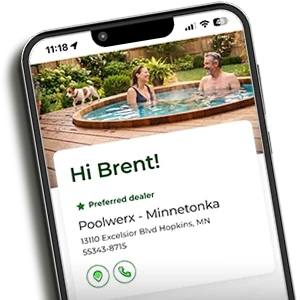
Have a Water Care Expert in the Palm of Your Hand
Download the free FROG Water Care® App


Sign Up for Our e-Newsletter
No spam, just seasonal tips, product spotlights and simple ways to simplify your water care.